How would you like to record the session?
Record live
Start right in your browser — the transcription runs automatically in the background.
Upload file
Upload an existing audio file — MP3, M4A, WAV, and other formats.
Via Zoom
Connect your Zoom account — Transcription starts automatically for connected meetings.
Record live
- Open the file and go to the "Session" tab
- Click "Start Recording" — the browser will ask for microphone access once
- Recording is running in the background — you can continue working in the app
- Click "Stop Recording" — the transcription will start automatically
- The final transcript appears in the session overview of the dossier
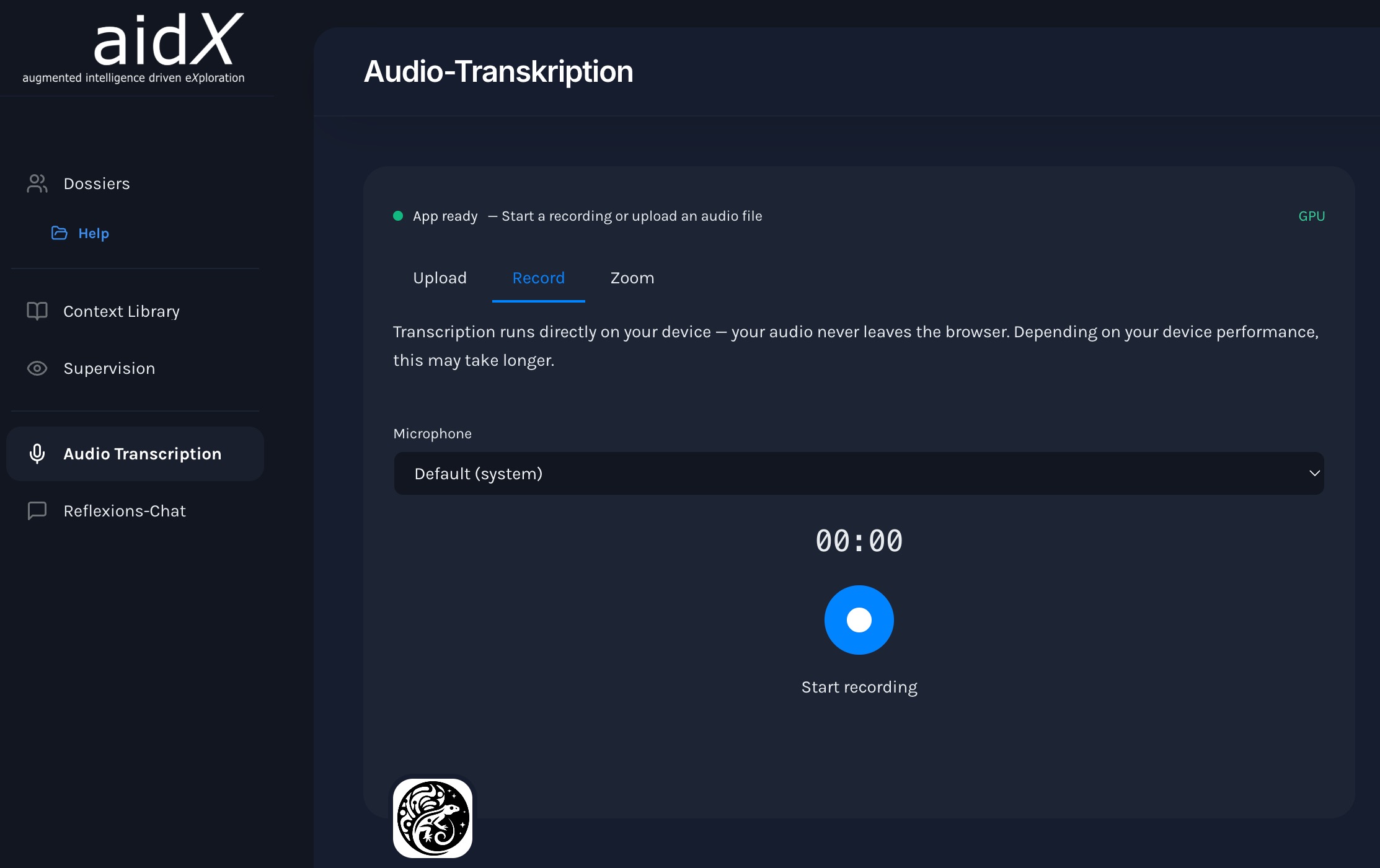 — "Recording active" style="width: 100%; display: block;">
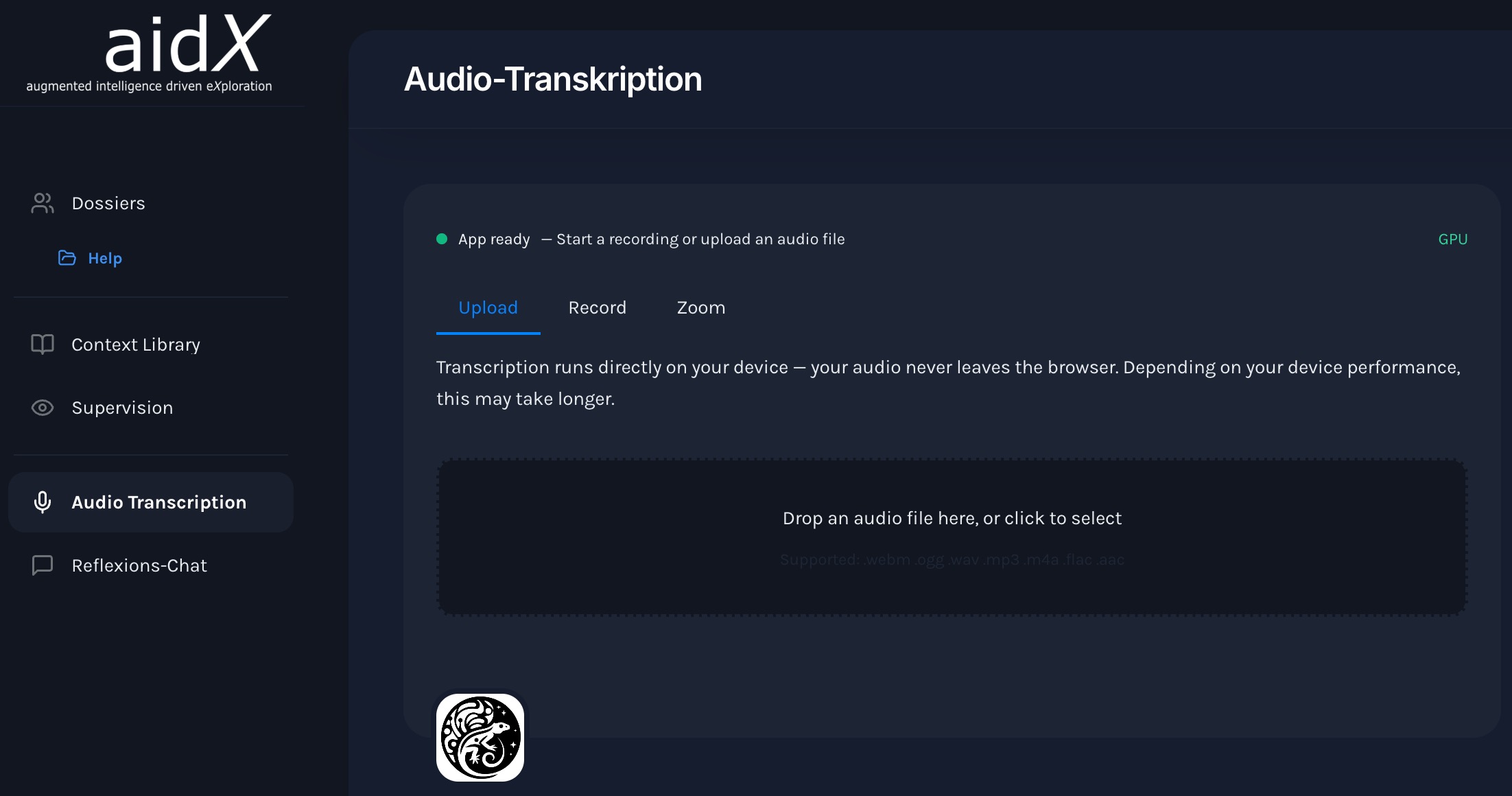
Upload audio file
- Open the file and go to the "Session" tab
- Click "Upload File" or drag the file directly into the window
- mentalhealthGPT the format and starts transcribing automatically
- The transcript is usually available within a few minutes
Supported formats:
Review and complete the transcript
Once the transcription is complete, you will find the results directly in the session overview of the dossier.
- Open the session in the dossier — the transcript is immediately available
- Check names, technical terms, and statements for accuracy
- If necessary, add your own notes and observations directly during the session
- The transcript is now available to the AI as context
What happens to your audio data
For transcription only
Audio is processed solely for transcription purposes — it is not used or shared for any other purpose.
Deleted afterward
Once the transcription is complete, the audio file will be deleted. No permanent audio file will be saved.
Only the transcript remains
The only thing left in the file is the encrypted transcript with structured documentation (AES-256-GCM). Without your personal key, it cannot be read by anyone — not even us.
Processed in Switzerland
All data is processed and stored in Switzerland. mentalhealthGPT designed to meet the requirements of the nDSG and GDPR.
Questions about session tracking
Answers to the most important questions.
Do I have to record every session?
No — but it's worth it. The more complete the dossier is, the more contextually relevant mentalhealthGPT can mentalhealthGPT . Even individual uploaded documents or notes are valuable.
How long does a transcription take?
The transcription itself is quick: typically 1–3 minutes for a 50-minute session. The subsequent speaker recognition runs as a separate step and can take an additional 10–15 minutes — the model analyzes the entire recording, and the speed depends on the device. Both steps run in the background, and the app remains fully usable during this time.
What happens if the audio quality is poor?
Poor audio quality reduces transcription accuracy and makes reliable speaker separation impossible. For clinically useful results, wireless wearable microphones (one per person) are required — laptop or desktop microphones are not sufficient. Recommended setups and devices →
Is the audio data saved?
No. Audio is processed solely for transcription purposes and is deleted afterward. No permanent audio file is stored in the file. Only the encrypted transcript, structured documentation, and associated metadata are retained.
Can I upload a session after the fact?
Yes — there are two ways to do this: If you have an audio file, upload it in the "Audio Transcription" tab. Once the transcription is complete, the result will be assigned to a session in the case file. If you already have the transcript, open a new session ("New Chat) in the case file and Chat the transcript directly in Chat .