How would you like to record the session?
Record live
Direkt im Browser starten — die Transkription läuft automatisch im Hintergrund, in Ihrem Browser.
Upload file
Upload an existing audio file — MP3, M4A, WAV, and other formats.
Via Zoom
Zoom-Account verbinden — transkribiert wird live, solange mentalhealthGPT im Aufnahme-Tab geöffnet ist.
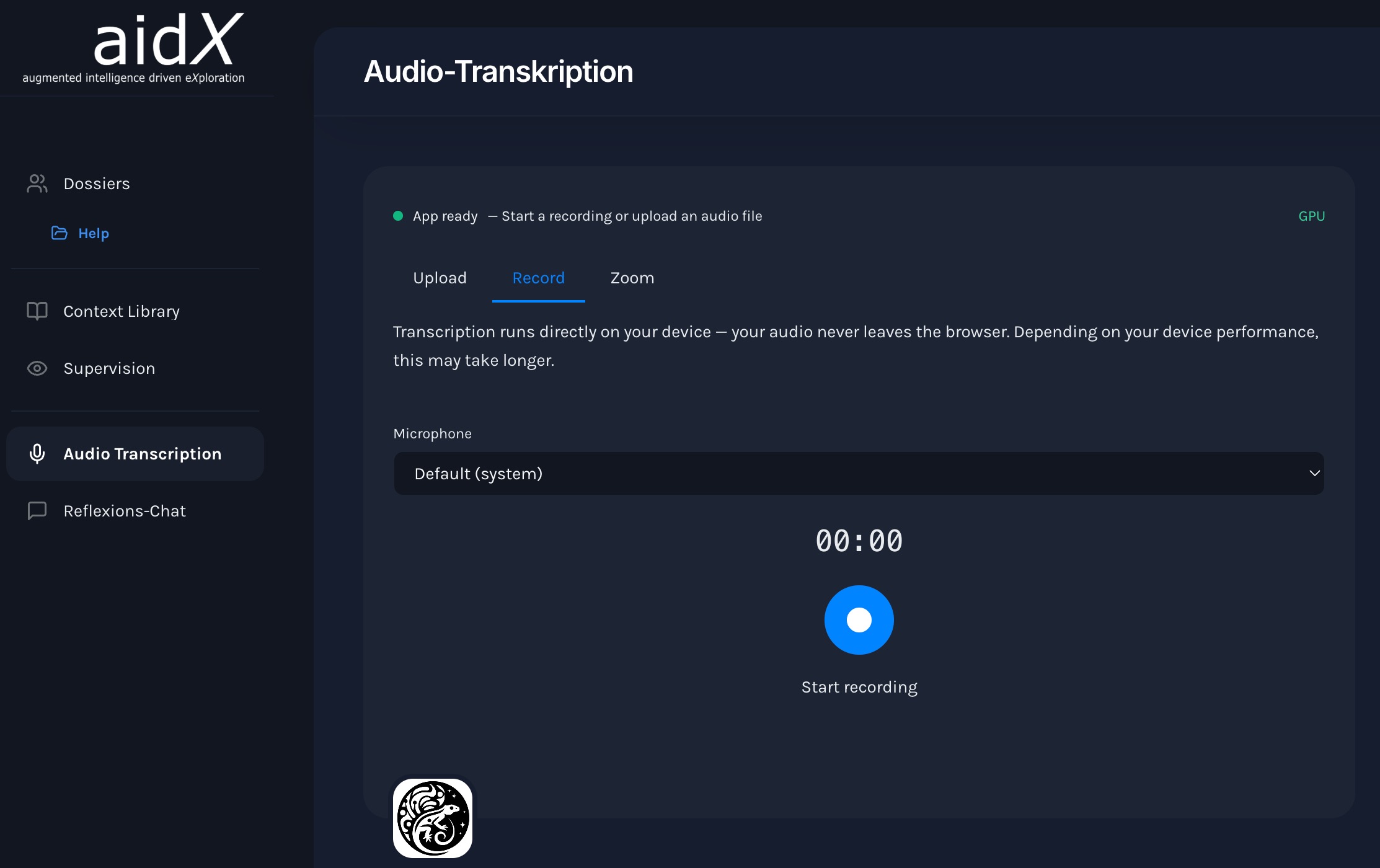
Record live
- Open the file and go to the "Session" tab
- Click "Start Recording" — the browser will ask for microphone access once
- Recording is running in the background — you can continue working in the app
- Click "Stop Recording" — the transcription will start automatically
- The final transcript appears in the session overview of the dossier
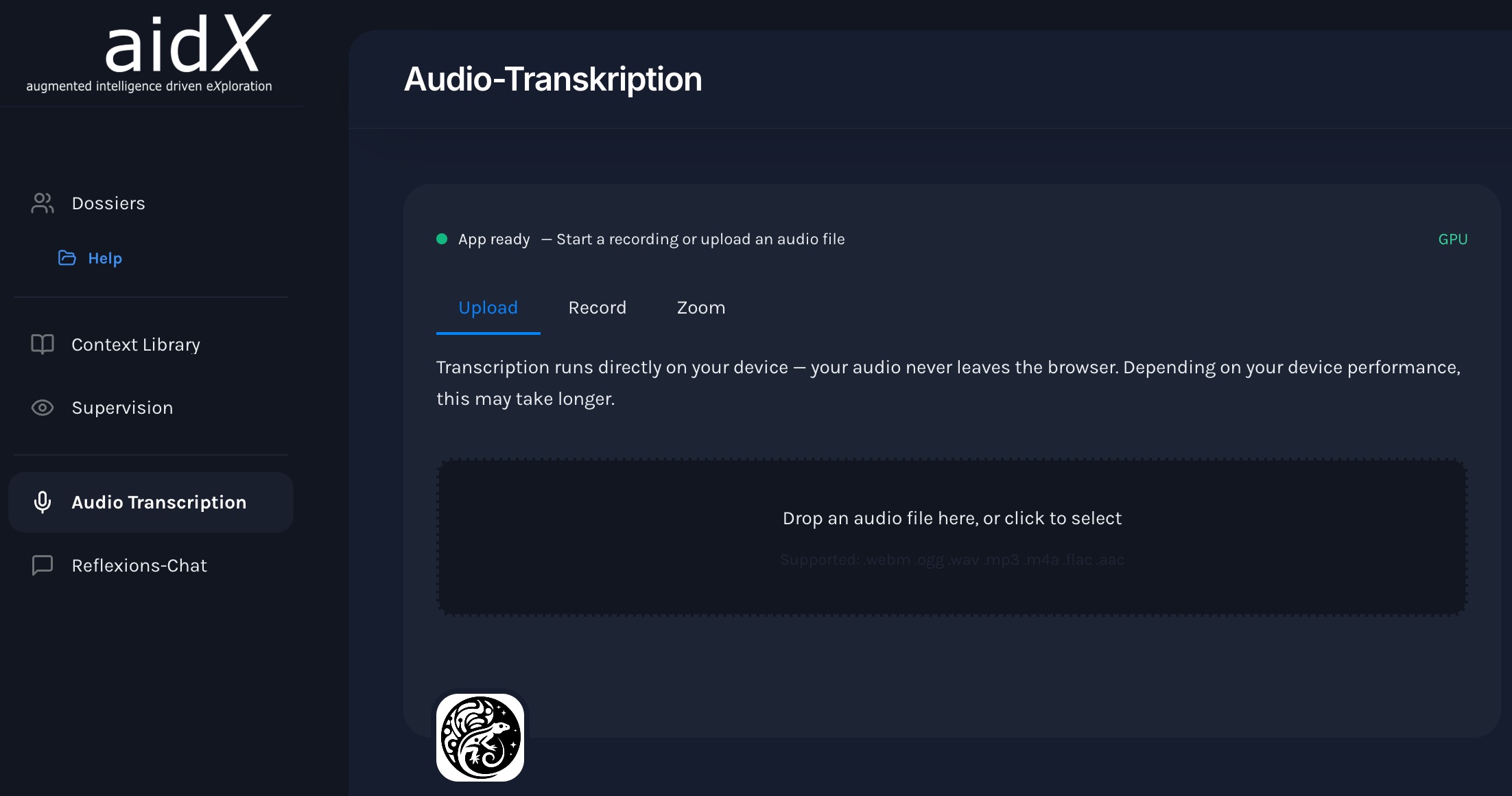
Upload audio file
- Open the file and go to the "Session" tab
- Click "Upload File" or drag the file directly into the window
- mentalhealthGPT the format and starts transcribing automatically
- The transcript is usually available within a few minutes
Supported formats:
Review and complete the transcript
Once the transcription is complete, you will find the results directly in the session overview of the dossier.
- Open the session in the dossier — the transcript is immediately available
- Check names, technical terms, and statements for accuracy
- If necessary, add your own notes and observations directly during the session
- The transcript is now available to the AI as context
What happens to your audio data
For transcription only
Audio is processed solely for transcription purposes — it is not used or shared for any other purpose.
Nicht auf unseren Servern
Sitzungsaufnahmen werden nicht auf unseren Servern gespeichert.
Only the transcript remains
Im Dossier bleibt ausschliesslich das verschlüsselte Transkript mit strukturierter Dokumentation (AES-256-GCM). Die echten Namen sind nur mit Ihrem persönlichen Schlüssel lesbar; entschlüsselt wird auf unserer Seite nur kontrolliert und protokolliert.
Data storage in Switzerland
Dossierinhalte werden verschlüsselt in der Schweiz gespeichert; für KI-Anfragen werden pseudonymisierte Inhalte an Modelle in der EU beziehungsweise der Schweiz übermittelt. mentalhealthGPT ist auf die Anforderungen von nDSG und DSGVO ausgelegt.
Questions about session tracking
Answers to the most important questions.
Do I have to record every session?
No — but it's worth it. The more complete the dossier is, the more contextually relevant mentalhealthGPT can mentalhealthGPT . Even individual uploaded documents or notes are valuable.
How long does a transcription take?
The transcription itself is quick: typically 1–3 minutes for a 50-minute session. The subsequent speaker recognition runs as a separate step and can take an additional 10–15 minutes — the model analyzes the entire recording, and the speed depends on the device. Both steps run in the background, and the app remains fully usable during this time.
What happens if the audio quality is poor?
Poor audio quality reduces transcription accuracy and makes reliable speaker separation impossible. For clinically useful results, wireless wearable microphones (one per person) are required — laptop or desktop microphones are not sufficient. Recommended setups and devices →
Is the audio data saved?
Nicht auf unseren Servern. Die Spracherkennung erfolgt lokal im Browser. Erhalten bleiben das verschlüsselte Transkript, strukturierte Dokumentation und zugehörige Metadaten.
Can I upload a session after the fact?
Yes — there are two ways to do this: If you have an audio file, upload it in the "Audio Transcription" tab. Once the transcription is complete, the result will be assigned to a session in the case file. If you already have the transcript, open a new session ("New Chat) in the case file and Chat the transcript directly in Chat .